Files with the .idrembg suffix are overwritten automatically by the application.
In other cases, use the --overwrite key.
Example:
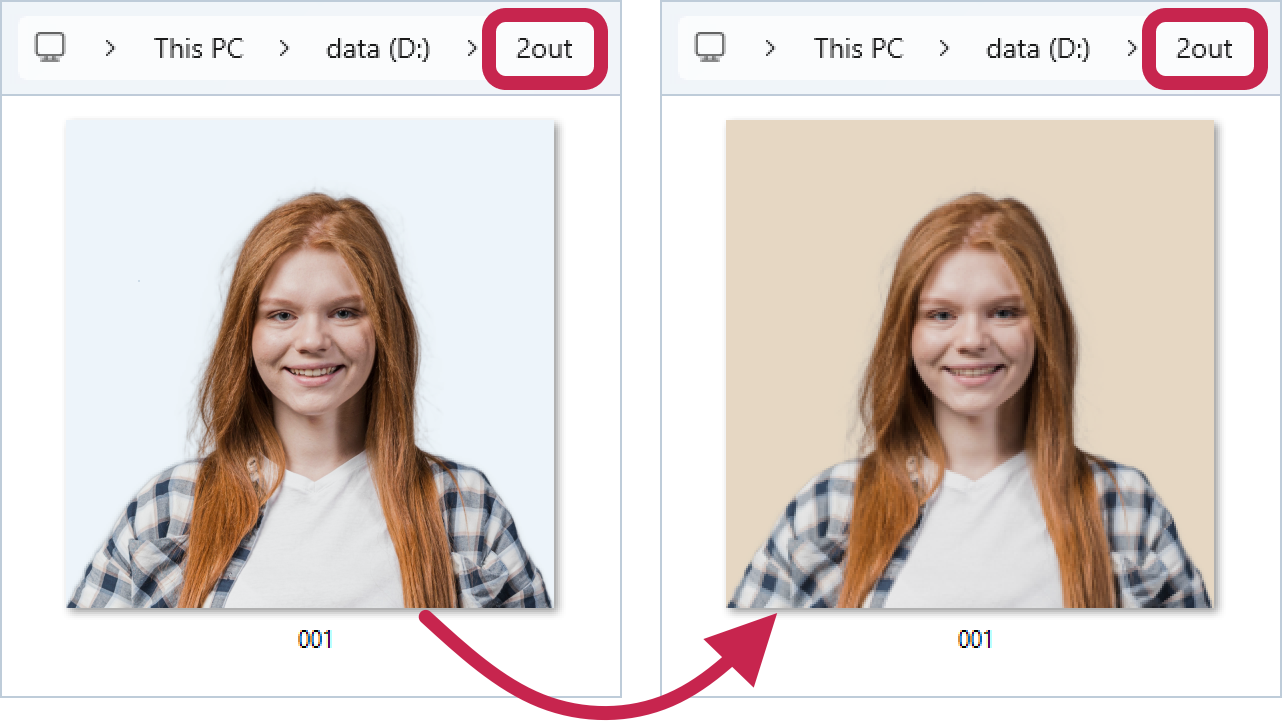
The processed file D:\2out\001.jpg already exists - let's overwrite it with a new background color.
>idrembg -i "D:\1in\001.jpg" -o "D:\2out\001.jpg" -b rgb(230,215,195) --overwrite |
As a result of executing this command line, the application will write the processed file D:\2out\001.jpg (with a sandy background) in place of the existing file with the same name (with a blue background).
|
Be careful when using the -i (--in-file) and --overwrite keys together without the -o key, as this will overwrite the original file! Only use this combination if you are sure you will not need the source files in the future. |

>idrembg -i "D:\1in\001.jpg" --overwrite |
or
>idrembg --in-file "D:\1in\001.jpg" --overwrite |
As a result of running such a command, the application will process the 001.jpg file and overwrite it. The original image will be overwritten without possibility of recovery!