1.Download the installer from our website: idphotocapture.com/downloads
2.Run the installer
3.In the Windows security notification, allow the application to run. To do this, click More info -> Run away.
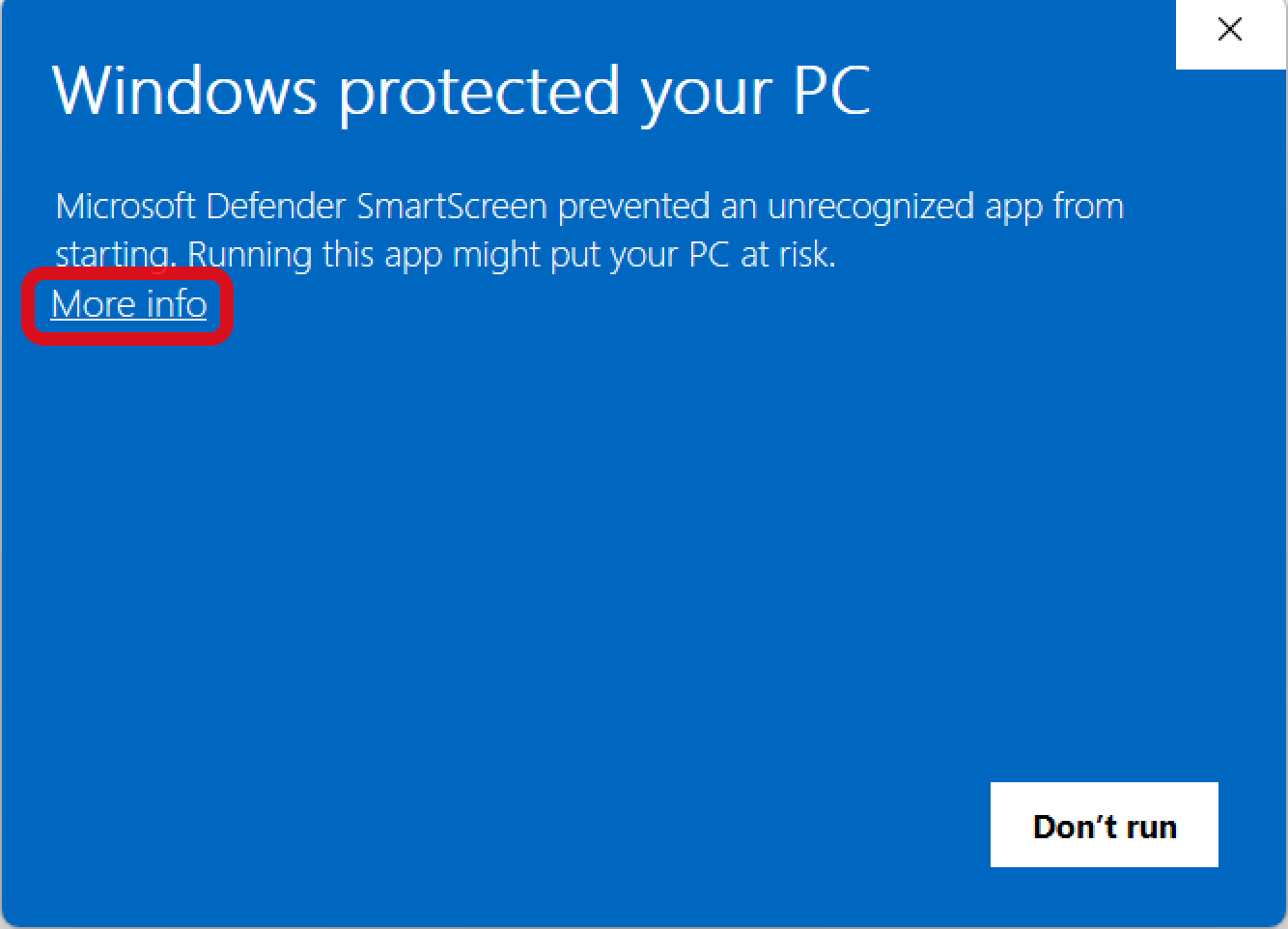
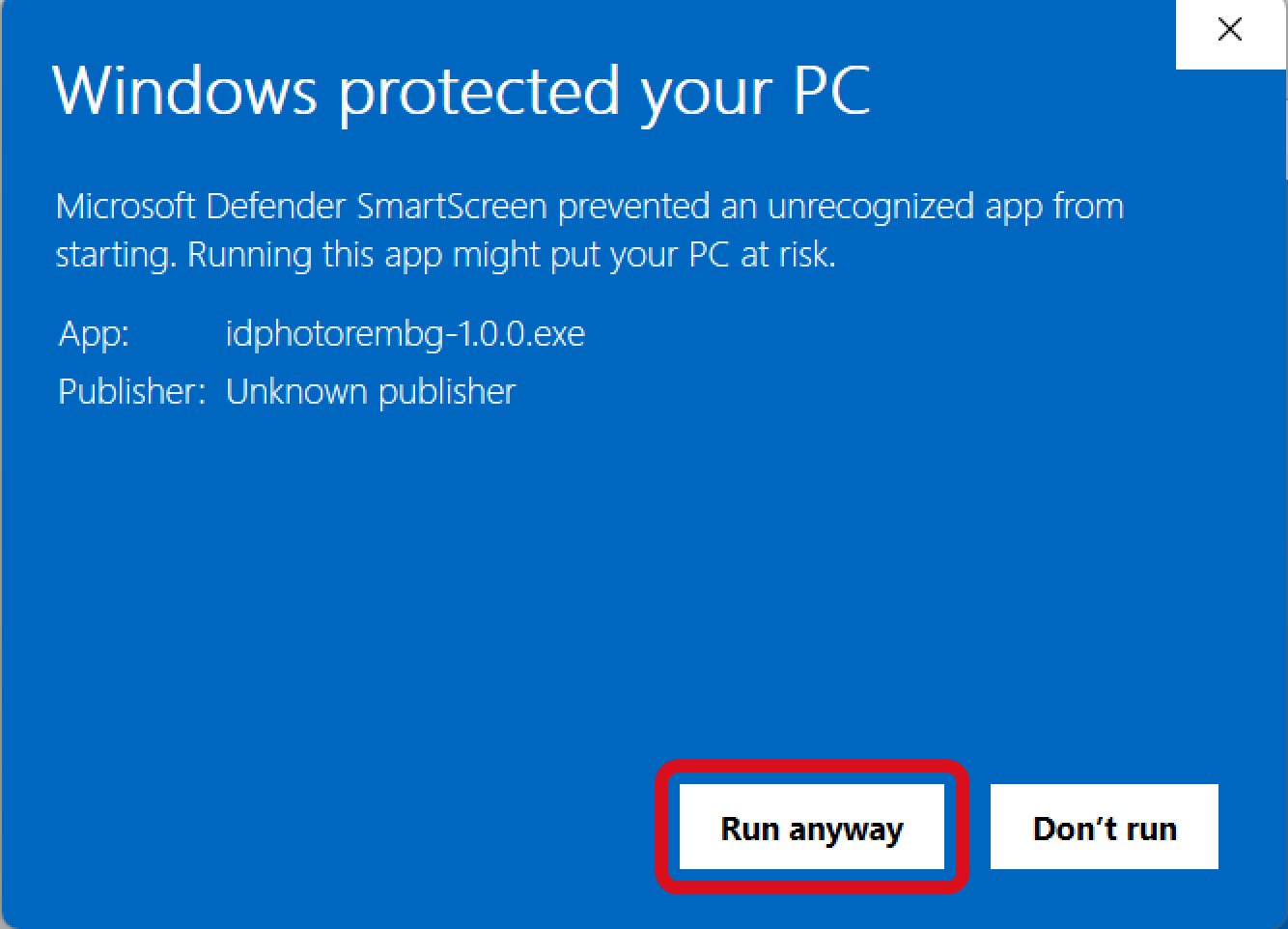
4.Then follow the instructions of the installer.
5.By default, the application will be installed in the folder C:\Program Files\IDPhoto Remove Background
6.After installation is complete, IDPhoto Remove Background folder will contain the following files:
•samples – folder with sample images
•idrembg.exe – IDPhoto Remove Background application
•integration.exe – utility that ensures compatibility of IDPhoto Remove Background with inPhoto products
•license_idphotocapture.txt – licence agreement
•licensing.exe – activation utility
•uninst.exe – IDPhoto Remove Background uninstaller